Games for your round screenІгри для круглого екрана
Small games my kids and I made for a round touchscreen, and how to put them on one yourself. All you need is the board, a USB-C cable and Chrome.
Маленькі ігри, які ми з дітьми зробили для круглого сенсорного екрана, і як записати їх на такий самий. Потрібні лише плата, кабель USB-C і Chrome.
GamesІгри
All ten games come in one file, porthole-<version>-factory.bin. Each kid picks their own profile (up to four on a board), then a game. Nothing in any game dies or gets lost while a kid is away.Усі десять ігор в одному файлі, porthole-<version>-factory.bin. Кожна дитина вибирає свій профіль (до чотирьох на плату), а потім гру. Поки дитини немає, ніхто в іграх не гине й нічого не втрачається.
Pets Club
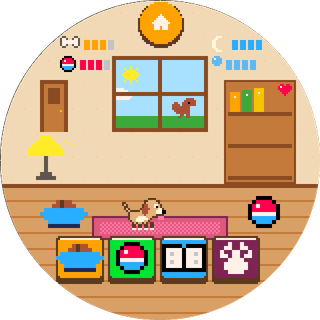
A pixel puppy that grows over real days, learns eight tricks and loves being read to: 30 stories at three reading levels. Each kid gets their own pup and a house on Paw Street.Піксельне цуценя, яке росте з кожним справжнім днем, вчить вісім трюків і любить, коли йому читають: 30 історій трьох рівнів. У кожної дитини своє цуценя і свій будиночок на Paw Street.
Biscuit
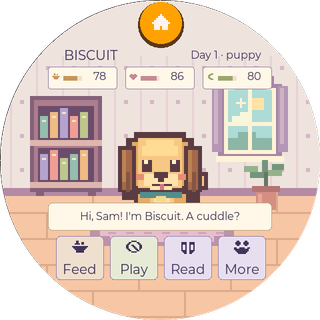
A little dog with a big bookshelf: branching stories, 96 illustrated discoveries, tricks and daily adventures. For strong young readers.Маленький песик із великою книжковою поличкою: розгалужені історії, 96 ілюстрованих відкриттів, трюки й щоденні пригоди. Для дітей, які вже добре читають.
Marble Kick
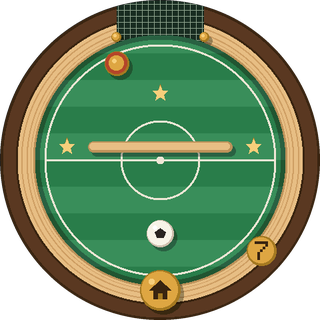
Tilt the board and a ball rolls like a marble through a wooden labyrinth. Twelve puzzle levels with walls, holes, defenders and a keeper. No timer, no score.Нахиляєш плату — і кулька котиться дерев’яним лабіринтом. Дванадцять рівнів-головоломок зі стінами, лунками, захисниками й воротарем. Без таймера й рахунку.
Tilt FC
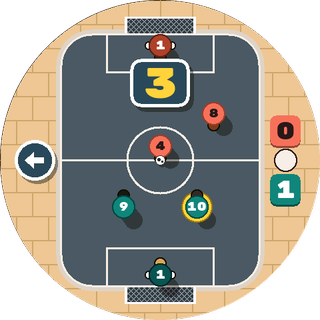
Street football on a round court, seen from above. Tilt to steer your player, tap to pass or shoot. Lose by two and the next match gets easier.Вуличний футбол на круглому майданчику, вигляд згори. Нахиляєш плату — гравець біжить, торкаєшся — пас або удар. Програв із різницею у два м’ячі — наступний матч буде легшим.
Pumpkin Hide & Seek
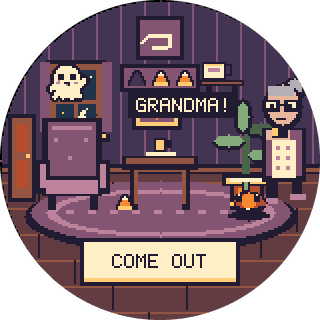
A cozy Halloween hide-and-seek. Grab three candies and slip out the door while Grandma searches with a flashlight. Get found and you just try again.Затишні хелловінські хованки. Збери три цукерки й вислизни за двері, поки бабуся шукає з ліхтариком. Знайшли — просто пробуєш ще раз.
Radar
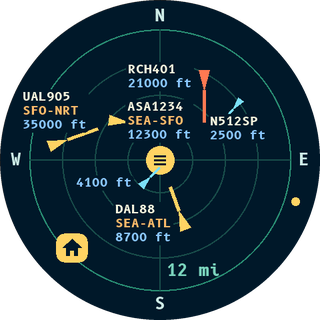
Real planes around your home on a radar scope, with callsign, route and height. A grown-up sets home once by typing an address. Needs Wi-Fi.Справжні літаки навколо вашого дому на екрані радара: позивний, маршрут і висота. Дорослий один раз задає дім, ввівши адресу. Потрібен Wi-Fi.
Starfighter
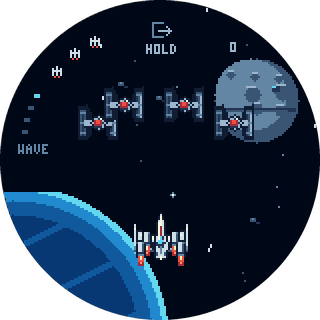
A retro space shooter. Bank the board to steer and tap to fire at the squadron, then fly down the trench for one last shot.Ретро-космічна стрілялка. Нахиляй плату, щоб кермувати, торкайся, щоб стріляти по ескадрильї, а потім лети траншеєю до останнього пострілу.
Kingdom
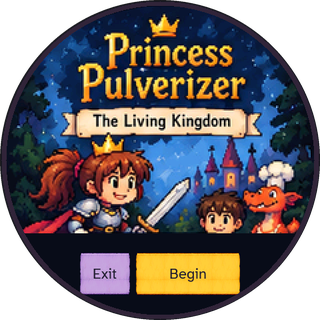
A story adventure for readers: forty scenes in Willowbrook, where choices, items and skills change what happens later.Пригода-історія для тих, хто читає: сорок сцен у Віллоубруку, де вибір, речі й уміння змінюють те, що станеться далі.
Toy Town
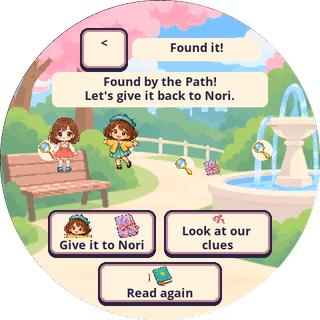
A doll neighborhood. Dress up your doll, then walk to school, the café and the park: make art, buy lunch with coins and solve a small mystery.Ляльковий район. Одягни ляльку й прогуляйся до школи, кафе та парку: малюй, купуй обід за монетки й розгадуй маленьку загадку.
Rally
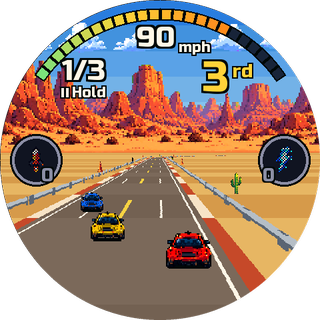
An arcade racer. Hold the board like a steering wheel and race three rivals for three laps on four tracks. Best times go on a leaderboard.Аркадні перегони. Тримай плату, як кермо, і змагайся з трьома суперниками три кола на чотирьох трасах. Найкращий час потрапляє в таблицю рекордів.
The boardПлата
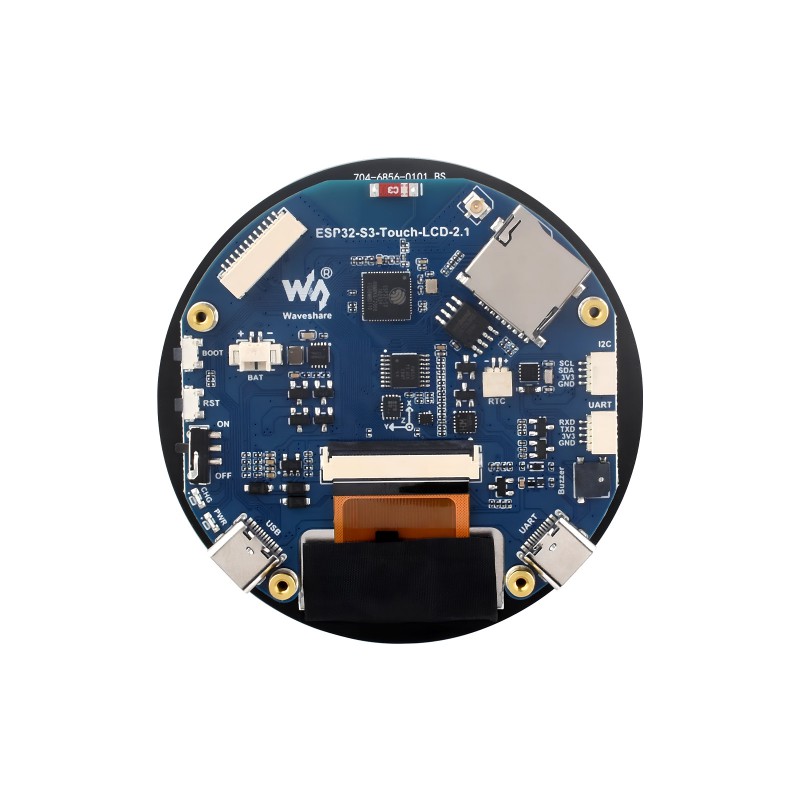
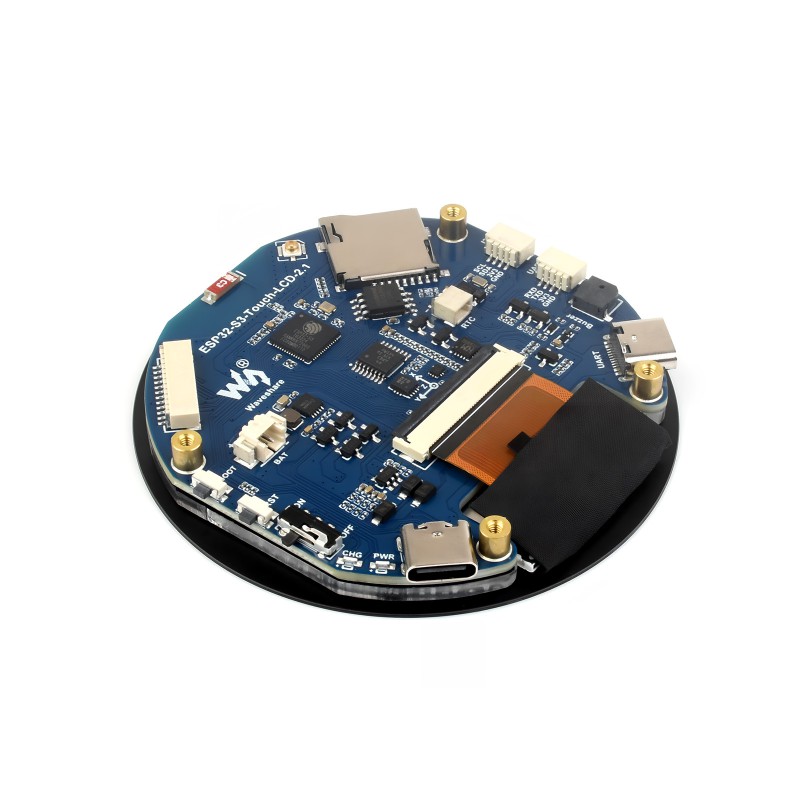
Every game here runs on one board, and only this one is supported: the Waveshare ESP32-S3-Touch-LCD-2.1, the version with the flat 2.1-inch round screen. It's a round touchscreen with a small computer behind it. In a 3D-printed case it becomes a pocket gadget with no buttons at all.Усі ігри тут працюють на одній платі, і підтримується лише вона: Waveshare ESP32-S3-Touch-LCD-2.1, версія з пласким круглим екраном 2,1 дюйма. Це круглий сенсорний екран із маленьким комп’ютером позаду. У надрукованому на 3D-принтері корпусі він стає кишеньковою іграшкою зовсім без кнопок.
Watch out for look-alikes. Waveshare also sells round boards in 1.28, 1.85 and 2.8 inch, and those won't run these games. The 2.1B has curved glass over the same screen; nobody has tried the games on it yet.Остерігайтеся схожих плат. Waveshare продає й круглі плати на 1,28, 1,85 і 2,8 дюйма, і на них ці ігри не запрацюють. У 2.1B вигнуте скло над тим самим екраном; ігри на ній ще ніхто не пробував.
The games use the screen, the touch, the clock, the buzzer, the motion sensor for tilt, and Wi-Fi for updates, the clock and Radar. Bluetooth is still free to play with, and a small battery would make it cordless.Ігри використовують екран, сенсор дотику, годинник, пищалку, датчик руху для нахилу та Wi-Fi для оновлень, годинника й радара. Bluetooth ще вільний для експериментів, а невеликий акумулятор зробить пристрій бездротовим.
How to installЯк записати гру на плату
Open the releases page and download porthole-<version>-factory.bin from the newest release.Відкрийте сторінку релізів і завантажте файл porthole-<version>-factory.bin із найновішого релізу.
Plug the board into a computer with a USB-C cable and open esptool-js, Espressif's web flasher, in Chrome or Edge. Phones, Safari and Firefox can't talk to the board.Під’єднайте плату до комп’ютера кабелем USB-C і відкрийте esptool-js, веб-програматор від Espressif, у Chrome або Edge. Телефони, Safari і Firefox не вміють працювати з платою.
Press Connect and pick the board in the list. Set the flash address to 0x0, choose the file, press Program and wait about a minute. Then unplug the board and plug it back in.Натисніть Connect і виберіть плату у списку. Вкажіть адресу 0x0, виберіть файл, натисніть Program і зачекайте близько хвилини. Потім від’єднайте плату й під’єднайте знову.
Writing the file this way starts fresh: saved progress on the board is erased. You need to do it only once. After that, the board updates itself over Wi-Fi and keeps the saves.Такий запис починає все з нуля: збережений на платі прогрес стирається. Робити це треба лише раз. Далі плата оновлюється сама через Wi-Fi і зберігає прогрес.
If the board doesn't show up in the list, try another USB-C cable: some cables only charge. Close any other program or tab that might be using the board, then reload esptool-js.Якщо плати немає у списку, спробуйте інший кабель USB-C: деякі кабелі лише заряджають. Закрийте інші програми чи вкладки, які можуть використовувати плату, і перезавантажте esptool-js.
If the install stops halfway, press Program again. Nothing on the board can break; it just gets written again.Якщо запис зупинився на півдорозі, натисніть Program ще раз. Зламати плату неможливо, гра просто запишеться знову.
Updates over Wi-FiОновлення через Wi-Fi
On the “Who’s playing?” screen, hold the title for five seconds. This opens the grown-ups’ menu.На екрані «Who’s playing?» утримуйте заголовок п’ять секунд. Відкриється меню для дорослих.
Tap Wifi, pick your network and type its password. The board keeps it only if it connects.Натисніть Wifi, виберіть свою мережу й введіть пароль. Плата збереже її, лише якщо підключиться.
Once a day, while the screen is dark, the board looks for a new version and downloads it. The new version starts the next time the board is switched on. Saves and profiles stay, and nothing about the kids leaves the board.Раз на день, коли екран темний, плата шукає нову версію й завантажує її. Нова версія запуститься, коли плату ввімкнуть наступного разу. Прогрес і профілі зберігаються, і жодні дані про дітей не залишають плату.
Updates in the same menu picks the channel. Stable (the default) gets a version after it has gone two days without a fix. Beta gets each new version right away. The menu also sets screen time, a play window and a grown-up code.Updates у тому ж меню вибирає канал. Stable (за замовчуванням) отримує версію, яка два дні обійшлася без виправлень. Beta отримує кожну нову версію одразу. Там само налаштовується час біля екрана, години для гри й код для дорослих.
How this startedЯк усе почалося
It started with a small project on MakerWorld,
ESP32 Plane Radar by MatixYo.
A tiny ESP32 board and a 1.28-inch round screen pull live flight data from the internet and draw the planes overhead on a little radar.
I built one with my kids, and then I showed them how to change it with Claude Code. They asked for changes and watched them show up on
the little screen. I loved that.
Усе почалося з невеликого проєкту на MakerWorld,
ESP32 Plane Radar від MatixYo.
Крихітна плата ESP32 з круглим екраном 1,28 дюйма бере з інтернету дані про польоти й малює літаки над головою на маленькому радарі.
Я зібрав такий із дітьми, а потім показав їм, як змінювати його за допомогою Claude Code. Вони просили зміни й дивилися, як ті
з’являються на маленькому екрані. Мені це дуже сподобалося.
So we went one step further and bought a bigger round screen, this Waveshare board. In one sitting with Claude and Codex we had
a couple of games running on it. My kids loved them so much that I shared them with friends, and their kids had a blast too.
This page is where those games live now, and the repo is set up so anyone can add the next one.
Тож ми пішли далі й купили більший круглий екран, цю плату Waveshare. За один підхід із Claude і Codex на ній уже працювали
кілька ігор. Моїм дітям вони так сподобалися, що я поділився ними з друзями, і їхні діти теж були в захваті.
Тепер ці ігри живуть тут, а репозиторій налаштований так, щоб будь-хто міг додати наступну.
If you like to tinker and have $35-45 for a board, or a spare one lying in a drawer, have fun with it. Enjoy the new era of tinkering.Якщо любите майструвати і маєте $35-45 на плату або зайву в шухляді, розважайтеся. Насолоджуйтеся новою ерою майстрування.
Different board? Fork itІнша плата? Форкніть
This is a side project, and I only support the board on my desk. I'm not porting the games myself, so hack away: point Claude Code or Codex at the repo and ask it to adapt the code to your hardware. Most of the hardware code sits in one board layer; a screen of another size or shape also means redoing the layouts. Got one working? Send a pull request, or just ask me a question.Це побічний проєкт, і я підтримую лише плату, що лежить у мене на столі. Сам я ігри не переноситиму, тож експериментуйте: попросіть Claude Code чи Codex адаптувати код із репозиторію під ваше залізо. Більшість коду для заліза зібрано в одному шарі для плати; екран іншого розміру чи форми потребує нових макетів. Запустили? Надішліть pull request або просто поставте мені питання.